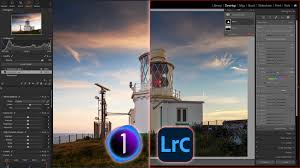
Top AI Photo Editing Tools for Photographers in 2026 (Complete Guide)
 shotinspect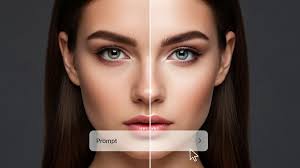
Introduction
Artificial intelligence has completely changed the way photographers edit images. In 2026, AI photo editing tools are no longer just experimental—they are now a core part of modern photography workflows.
From automatic retouching to intelligent object removal and one-click color grading, AI tools are helping photographers save time while improving consistency and output quality.
But with so many AI editing platforms available, the question is:
👉 Which AI photo editing tools are actually worth using in 2026?
This guide explores the best AI-powered editing tools for photographers in the United States and how they compare to traditional software like Adobe Lightroom and Photoshop.
What Are AI Photo Editing Tools?
AI photo editing tools use machine learning models to automatically analyze and enhance images.
They can perform tasks such as:
- Automatic exposure correction
- Background removal
- Noise reduction
- Subject detection
- Sky replacement
- Skin retouching
- One-click style editing
Unlike traditional editing software, AI tools focus on speed and automation rather than manual control.
Why AI Editing Is Growing So Fast in 2026
There are three major reasons:
1. Speed
Photographers can edit hundreds of images in minutes instead of hours.
2. Accessibility
Beginners can achieve professional-level results without advanced skills.
3. Workflow Integration
AI tools now integrate with Lightroom, Photoshop, and mobile apps.
🏆 Best AI Photo Editing Tools in 2026
1. Adobe Photoshop (Firefly AI Engine)
Adobe has integrated powerful AI tools through its Firefly system.
Key Features:
- Generative fill (add/remove objects intelligently)
- Smart background replacement
- AI object selection
- Content-aware editing
Best For:
- Professional photographers
- Commercial editing
- Creative manipulation
👉 Adobe remains the leader in professional AI editing tools.
2. Adobe Lightroom AI Tools
Lightroom now includes advanced AI features.
Features:
- Subject detection masking
- AI sky selection
- Auto tone adjustments
- Smart noise reduction
Best For:
- Wedding photographers
- Travel photographers
- Batch editing workflows
3. Luminar Neo (AI-First Editing Software)
Luminar Neo is built entirely around AI automation.
Features:
- One-click enhancement tools
- AI relighting
- Skin retouching
- Sky replacement system
Strengths:
- Extremely beginner-friendly
- Fast editing workflow
- Minimal manual adjustment required
4. Topaz Photo AI
Topaz is known for advanced image enhancement technology.
Features:
- AI noise reduction
- Image sharpening
- Upscaling low-resolution images
- Motion blur correction
Best For:
- Wildlife photography
- Low-light photography
- High ISO images
5. Remove.bg (Background Removal Tool)
A simple but powerful AI tool for removing backgrounds.
Features:
- Instant background removal
- Perfect edge detection
- Product photography optimization
Best For:
- E-commerce photography
- Product listings
- Social media content
AI Tools vs Traditional Editing Software
AI Editing Tools Advantages:
- Extremely fast workflow
- Beginner-friendly
- Automated corrections
- Ideal for social media and bulk editing
Traditional Software (Lightroom/Photoshop) Advantages:
- Full creative control
- Professional-grade precision
- Better for commercial work
- More consistent long-term results
👉 Best workflow in 2026 = AI + Lightroom + Photoshop combination
Who Should Use AI Photo Editing Tools?
Ideal for:
- Content creators
- Social media photographers
- Beginners
- Wedding photographers handling large volumes
- E-commerce sellers
Who Should Avoid Relying Only on AI?
- High-end commercial photographers
- Fine art photographers
- Studio photographers requiring precision
- Professionals needing full creative control

The Future of AI in Photography
AI will not replace photographers—but it will change how they work.
Future trends:
- Fully automated editing pipelines
- Real-time AI editing in cameras
- Cloud-based AI workflows
- Hybrid human + AI creative systems
The role of photographers is shifting from manual editing to creative direction and decision-making.
Final Thoughts
AI photo editing tools in 2026 are transforming photography workflows at every level. While tools like Luminar Neo and Topaz Photo AI offer incredible speed and automation, Adobe Lightroom and Photoshop still remain essential for professional control and consistency.
For photographers in the United States, the most effective approach is not choosing between AI or traditional editing—but combining both into a hybrid workflow.
AI handles speed.
Humans handle creativity.