Lightroom Mobile Review 2026: Can You Edit Like a Pro on Phone?
 shotinspect
Introduction
Mobile photography has grown rapidly in recent years, and in 2026, a large portion of content creators now rely on smartphones as their primary camera. With this shift, mobile editing tools have become essential.
Adobe Lightroom Mobile is one of the most powerful photo editing apps available on smartphones, but many photographers still ask a key question:
👉 Can you really edit like a professional using Lightroom Mobile?
This review explores the features, limitations, and real-world performance of Lightroom Mobile for photographers and content creators in the United States.

What Is Lightroom Mobile?
Lightroom Mobile is the smartphone and tablet version of Adobe Lightroom. It allows users to edit, organize, and sync photos across devices using Adobe Creative Cloud.
It is available on:
- iOS (iPhone & iPad)
- Android devices
Key Features of Lightroom Mobile
1. RAW Photo Editing
Lightroom Mobile supports RAW file editing, allowing full control over:
- Exposure
- White balance
- Highlights and shadows
- Color grading
This brings desktop-level editing power to mobile devices.
2. Cloud Syncing System
One of the biggest advantages is Adobe’s cloud ecosystem.
You can:
- Start editing on mobile
- Continue on desktop
- Sync presets and edits automatically
3. AI-Powered Tools
In 2026, Lightroom Mobile includes advanced AI features:
- Subject detection
- Automatic masking
- Smart background selection
- AI noise reduction
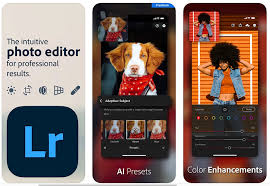
4. Preset System
Lightroom Mobile supports presets, allowing users to apply consistent editing styles instantly.
This is especially popular among Instagram creators and influencers.
Lightroom Mobile vs Desktop Lightroom
Desktop Lightroom
- More powerful tools
- Faster batch editing
- Better performance for large files
Mobile Lightroom
- Portable and convenient
- Perfect for social media editing
- Limited but optimized toolset
👉 Desktop = Professional workflow
👉 Mobile = Fast content creation
Can You Really Edit Like a Pro on Mobile?
Short Answer: YES — but with limitations.
What You Can Do Professionally:
- Color grading
- Exposure correction
- RAW editing
- Social media content preparation
- Preset-based workflow
What You Cannot Fully Replace:
- Advanced Photoshop-level retouching
- Large batch professional workflows
- Complex commercial compositing
Who Should Use Lightroom Mobile?
Ideal for:
- Instagram creators
- Travel photographers
- Social media influencers
- Smartphone photographers
- Beginners learning editing
Advantages of Lightroom Mobile
1. Portability
Edit anywhere, anytime.
2. Ease of Use
Simple interface designed for touch control.
3. Cloud Integration
Seamless sync with Adobe ecosystem.
4. Professional Output
High-quality export options suitable for social media and print.
Limitations of Lightroom Mobile
1. Smaller Screen
Less precision compared to desktop editing.
2. Reduced Toolset
Some advanced features are limited or simplified.
3. Performance on Older Devices
High-resolution editing may lag on older phones.
Mobile Editing Workflow (2026 Standard)
- Capture photo on smartphone or camera
- Import into Lightroom Mobile
- Apply preset or base adjustments
- Fine-tune exposure and color
- Export for Instagram / TikTok / web
Lightroom Mobile vs Other Apps
vs Snapseed
- Lightroom: more professional tools
- Snapseed: simpler but limited
vs VSCO
- Lightroom: full editing control
- VSCO: aesthetic filters only
vs Photoshop Express
- Lightroom: better RAW workflow
- Photoshop Express: simpler edits
Final Thoughts
In 2026, Lightroom Mobile has become one of the most powerful mobile editing tools available. While it cannot fully replace desktop-level software like Lightroom Classic or Photoshop, it provides more than enough power for most photographers and content creators.
For users in the United States who rely heavily on social media or mobile photography, Lightroom Mobile offers a perfect balance between convenience and professional-quality editing.
The answer is clear:
👉 Yes, you can edit like a pro on your phone—but only if you understand its strengths and limitations.