Best Photo Editing Software in 2026 (Free & Paid Options Compared)
 shotinspect
Introduction
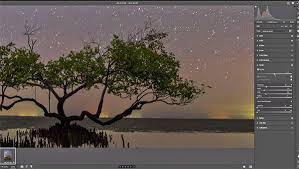
Photo editing software has become an essential part of modern photography workflows. In 2026, photographers have more choices than ever before—from professional-grade tools like Adobe Lightroom and Photoshop to AI-powered editing apps and completely free alternatives.
But with so many options available, one question becomes important:
👉 What is the best photo editing software in 2026?
This guide compares the top free and paid photo editing tools used by photographers in the United States, helping you choose the right software based on your needs and skill level.
What Makes a Good Photo Editing Software?
Before comparing tools, it’s important to understand what matters most:
- Image quality output
- RAW file support
- Editing flexibility
- Speed and performance
- Ease of use
- AI features
- Workflow efficiency
Different photographers prioritize different features depending on their style.
🏆 Best Paid Photo Editing Software in 2026
1. Adobe Lightroom (Industry Standard)
Lightroom remains the most widely used photo editing software in 2026.
Strengths:
- Excellent RAW processing
- Fast batch editing workflow
- Advanced color grading tools
- AI-powered masking and subject detection
- Cloud sync across devices
Best For:
- Professional photographers
- Travel photographers
- Wedding and event photographers
👉 Lightroom is still the most balanced all-in-one solution.
2. Adobe Photoshop (Advanced Editing Tool)
Photoshop is the most powerful image editing software available.
Strengths:
- Advanced retouching tools
- Object removal and generative AI features
- Layer-based editing system
- Creative compositing
Best For:
- Commercial photography
- Product editing
- Creative manipulation work
👉 Photoshop is not for workflow—it is for precision editing.
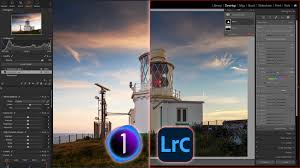
3. Capture One Pro
Capture One is a high-end alternative to Adobe.
Strengths:
- Exceptional color accuracy
- Professional tethered shooting
- Advanced layer-based adjustments
- Preferred by studio photographers
Best For:
- Fashion photography
- Studio work
- High-end commercial shoots
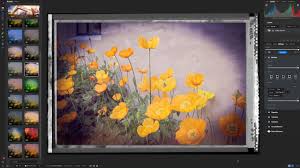
🆓 Best Free Photo Editing Software in 2026
1. Darktable (Free Lightroom Alternative)
Darktable is one of the most powerful free RAW editors.
Strengths:
- Fully free and open-source
- RAW image processing
- Advanced editing tools similar to Lightroom
Weaknesses:
- Steeper learning curve
- Less polished UI
2. GIMP (Free Photoshop Alternative)
GIMP is a free alternative to Photoshop.
Strengths:
- Layer-based editing
- Retouching tools
- Plugin support
Weaknesses:
- Outdated interface compared to Photoshop
- Less AI integration
3. Snapseed (Mobile Editing Tool)
Snapseed is a popular mobile editing app owned by Google.
Strengths:
- Very easy to use
- Fast mobile editing
- Good for social media content
Weaknesses:
- Limited professional features
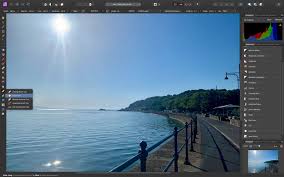
🤖 AI Photo Editing Tools (2026 Trend)
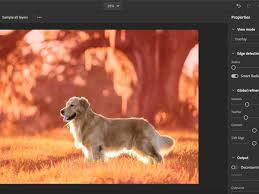
AI tools are becoming a major trend in photography editing.
Popular AI Tools:
- Luminar Neo (AI-based editing automation)
- Topaz Photo AI (noise reduction & sharpening)
- Adobe Firefly (generative AI tools inside Photoshop)
Strengths:
- Fast editing workflow
- One-click enhancements
- Beginner-friendly automation
Weakness:
- Less creative control
- Sometimes unrealistic results
Comparison Summary Table
| Software | Type | Skill Level | Best Use |
|---|---|---|---|
| Lightroom | Paid | Beginner–Pro | Workflow editing |
| Photoshop | Paid | Advanced | Retouching & design |
| Capture One | Paid | Pro | Studio photography |
| Darktable | Free | Intermediate | RAW editing |
| GIMP | Free | Intermediate | Photoshop alternative |
| Snapseed | Free | Beginner | Mobile editing |
| Luminar AI | Paid | Beginner | AI editing |
Which Software Should You Choose?
If You Are a Beginner
- Snapseed
- Lightroom (mobile or desktop)
If You Are a Professional Photographer
- Lightroom + Photoshop (best combination)
- Capture One (studio use)
If You Want Free Options
- Darktable + GIMP
If You Want Fast AI Editing
- Luminar Neo + Photoshop AI tools
Final Thoughts
In 2026, photo editing software has become more diverse than ever. While AI tools are growing rapidly, traditional software like Adobe Lightroom and Photoshop still dominate professional photography workflows.
For photographers in the United States, the best approach is not choosing a single tool—but building a workflow system that combines editing speed, creative control, and consistency.
SEO Keywords
best photo editing software 2026, Lightroom vs free alternatives, Photoshop alternatives free, Capture One vs Lightroom, AI photo editing tools, best RAW editing software, professional photo editing apps USA