Best Photography Workflow Software in 2026 (Complete Professional Setup Guide)
 shotinspect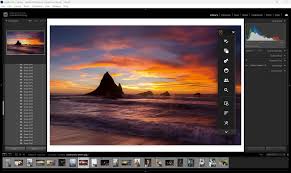
Introduction
In 2026, professional photography is no longer just about taking and editing photos—it is about building an efficient, scalable workflow from capture to delivery.
Modern photographers in the United States often handle thousands of images per project, multiple devices, cloud storage systems, and client delivery deadlines.
Because of this, choosing the right photography workflow software has become just as important as choosing a camera or lens.
But many photographers still ask:
👉 What is the best photography workflow software setup in 2026?
This guide breaks down the complete professional workflow system used by photographers today, including organization, editing, backup, and delivery tools.
What Is a Photography Workflow System?
A photography workflow system is the full set of tools used to manage an image from capture to final delivery.
It typically includes:
- File import and organization
- Culling (selecting best images)
- RAW editing
- Retouching
- Export and delivery
- Backup and storage
A good workflow system saves time, improves consistency, and reduces errors.
Why Workflow Software Matters
Without a proper workflow system, photographers face:
- Disorganized files
- Slow editing processes
- Lost or duplicated images
- Client delivery delays
- Inefficient storage usage
A structured workflow solves all of these issues.
🏆 Best Photography Workflow Software in 2026
1. Adobe Lightroom (Core Workflow Engine)
Lightroom is the foundation of most modern photography workflows.
Key Functions:
- Photo organization (catalog system)
- RAW editing
- Preset-based batch processing
- Cloud synchronization
- AI-powered adjustments
Why It’s Essential
Lightroom combines organization + editing in one system, making it the central hub of most workflows.
2. Adobe Photoshop (Final Retouching Stage)
Photoshop is used after Lightroom for advanced editing.
Key Functions:
- Detailed retouching
- Object removal
- Layer-based editing
- Composite creation
Why It’s Important
Photoshop handles precision edits that Lightroom cannot achieve.
3. Capture One (Studio Workflow Alternative)
Capture One is a professional alternative workflow system.
Key Functions:
- Session-based workflows
- Advanced color grading
- Tethered shooting support
- High-end RAW processing
Best For:
- Studio photographers
- Fashion and commercial work

4. Photo Mechanic (Fast Culling Tool)
Photo Mechanic is widely used for selecting large photo sets quickly.
Key Functions:
- Instant RAW preview
- Fast image sorting
- Metadata tagging
- Culling thousands of images quickly
Best For:
- Sports photography
- Events
- Journalism
5. Cloud Storage Systems (Google Drive / Adobe Cloud / Dropbox)
Backup and storage are critical parts of any workflow.
Key Functions:
- Automatic backup
- Cross-device access
- File sharing with clients
- Long-term storage safety
Complete Professional Workflow (2026 Standard Setup)
Step 1: Capture Images
Use camera to shoot RAW files.
Step 2: Import & Backup
Transfer files to primary storage + cloud backup.
Step 3: Culling (Selection)
Use Photo Mechanic or Lightroom to select best images.
Step 4: Organization
Sort images into catalogs or folders.
Step 5: RAW Editing
Use Lightroom or Capture One for full image processing.
Step 6: Advanced Retouching
Use Photoshop for final adjustments.
Step 7: Export & Delivery
Export images for:
- Web
- Client delivery
Step 8: Archiving
Store final files in cloud + external drive backups.
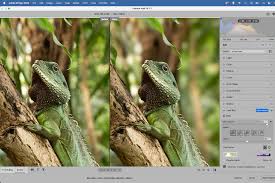
Lightroom vs Full Workflow Systems
Lightroom Advantage
- All-in-one solution
- Easy learning curve
- Fast editing + organization
Full Workflow Advantage
- More specialized tools
- Faster performance in large projects
- Better scalability for professionals
Common Workflow Mistakes
1. No Backup Strategy
Risk of permanent data loss.
2. Editing Without Organization
Leads to confusion and wasted time.
3. Skipping Culling Stage
Slows down entire editing workflow.
4. Overcomplicating Software Stack
Too many tools can reduce efficiency.
Who Needs a Full Workflow System?
Ideal for:
- Professional photographers
- Wedding photographers
- Commercial studios
- Event photographers
- Content creators with high volume output
Final Thoughts
In 2026, photography success is no longer defined only by camera quality, but by how efficiently a photographer can manage their entire workflow.
A well-designed system combining Lightroom, Photoshop, and supporting tools allows photographers in the United States to handle large projects with speed, consistency, and professional accuracy.
Ultimately, the best photography workflow is not about using the most tools—but about using the right tools in the right order.
SEO Keywords
photography workflow software 2026, Lightroom workflow guide, best photo editing workflow, Capture One vs Lightroom workflow, professional photography setup, photo management and editing system, photography backup workflow USA