Best RAW Image Processing Software for Professionals in 2026
 shotinspect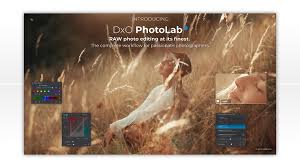
Introduction
RAW image processing software is the foundation of professional photography workflows. Unlike JPEG files, RAW files retain all the original sensor data captured by the camera, allowing photographers to achieve maximum control during editing.
In 2026, with increasingly high-resolution cameras and AI-assisted editing tools, choosing the right RAW processing software has become more important than ever.
But with many options available, photographers often ask:
👉 What is the best RAW image processing software for professionals in 2026?
This guide compares the top RAW editing tools used by professional photographers in the United States and explains which one fits different workflows.
What Is RAW Image Processing?
RAW processing refers to the editing of uncompressed image files directly from a camera sensor.
Unlike JPEGs, RAW files:
- Preserve full dynamic range
- Allow non-destructive editing
- Contain more color and exposure data
- Require dedicated software to process
Why RAW Processing Matters
Professional photographers rely on RAW because it allows:
1. Maximum Image Quality
You can recover highlights and shadows with far more detail.
2. Greater Editing Flexibility
White balance, exposure, and color can be adjusted without quality loss.
3. Professional Output Control
Essential for commercial, fashion, and studio photography.
🏆 Best RAW Image Processing Software in 2026
1. Adobe Lightroom (Industry Standard)
Lightroom remains the most widely used RAW processing software worldwide.
Strengths:
- Fast and efficient RAW workflow
- Excellent color grading tools
- AI-powered masking and subject detection
- Seamless integration with Photoshop
Best For:
- Wedding photographers
- Travel photographers
- Content creators
- High-volume editing workflows
👉 Lightroom is still the default choice for most professionals.
2. Capture One Pro (High-End Studio Standard)
Capture One is known for its superior RAW engine and color accuracy.
Strengths:
- Exceptional color science
- Advanced tethered shooting
- Layer-based adjustments
- High-end studio workflow tools
Best For:
- Fashion photography
- Studio photography
- Commercial product shoots
👉 Preferred when color precision is critical.
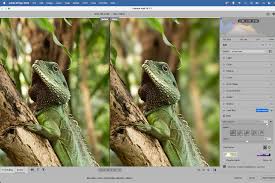
3. DxO PhotoLab (Noise Reduction Specialist)
DxO PhotoLab is famous for its industry-leading image correction algorithms.
Strengths:
- Best-in-class noise reduction
- Optical lens correction profiles
- Strong detail recovery
- DeepPrime AI processing engine
Best For:
- Low-light photography
- Wildlife photography
- High ISO shooting
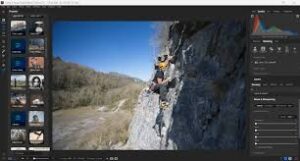
4. ON1 Photo RAW
ON1 Photo RAW is an all-in-one alternative to Adobe software.
Strengths:
- RAW editing + layering system
- No subscription required
- Built-in effects and presets
- AI masking tools
Best For:
- Independent photographers
- Users avoiding subscriptions
- Hybrid editing workflows
5. Darktable (Free Open-Source Option)
Darktable is a powerful free RAW processor used by advanced users.
Strengths:
- Completely free
- Advanced RAW editing tools
- Non-destructive workflow
Weaknesses:
- Steeper learning curve
- Less polished interface
Comparison Table
| Software | Type | Strength | Best Use |
|---|---|---|---|
| Lightroom | Paid | Workflow + speed | General professional use |
| Capture One | Paid | Color accuracy | Studio photography |
| DxO PhotoLab | Paid | Noise reduction | Low-light photography |
| ON1 Photo RAW | Paid | All-in-one system | Independent workflow |
| Darktable | Free | RAW engine | Advanced users |
How to Choose the Right RAW Software
Choose Lightroom if you want:
- Fast workflow
- Easy learning curve
- Full Adobe ecosystem integration
Choose Capture One if you need:
- Maximum color accuracy
- Studio-level control
- Professional tethered shooting
Choose DxO PhotoLab if you focus on:
- Low-light shooting
- Noise reduction quality
- Technical image correction
Choose ON1 Photo RAW if you want:
- Subscription-free workflow
- Combined editing system
- Flexible toolset
RAW Workflow in Professional Photography
A typical professional workflow in 2026 looks like this:
- Import RAW files
- Select best images
- Apply global adjustments
- Perform color grading
- Export for delivery
- Final retouch in Photoshop (optional)
Common Mistakes in RAW Editing
1. Over-Editing Highlights and Shadows
Leads to unnatural image quality.
2. Ignoring Lens Corrections
Can affect distortion and sharpness.
3. Not Using Calibration Tools
Color consistency suffers without proper calibration.
4. Exporting in Wrong Format
Always choose correct output based on platform (web, print, social media).
Final Thoughts
In 2026, RAW image processing remains the core of professional photography. While Lightroom dominates the general market, tools like Capture One and DxO PhotoLab offer specialized advantages depending on workflow needs.
For photographers in the United States, the best approach is not choosing a single tool, but building a workflow that matches their shooting style and professional requirements.
RAW processing is where true image quality is shaped—it is the step that transforms a good photo into a professional one.
SEO Keywords
best RAW image processing software 2026, Lightroom RAW editing, Capture One vs Lightroom RAW, DxO PhotoLab review, professional RAW photo software, best photo editing workflow, RAW image editing tools USA