Photoshop vs Lightroom: Which One Should You Use in 2026? (Complete Comparison Guide)
 shotinspect
Introduction
Adobe Photoshop and Adobe Lightroom are two of the most widely used tools in photography and creative editing. While both belong to Adobe Creative Cloud, they serve very different purposes in a photographer’s workflow.
In 2026, with the rise of AI editing tools and faster workflows, many photographers still struggle with one key question:
👉 Should I use Photoshop or Lightroom?
This guide breaks down the differences, strengths, weaknesses, and real-world use cases to help photographers in the United States choose the right tool.
Photoshop vs Lightroom: The Core Difference
Adobe Lightroom = Workflow + Photo Editing
Lightroom is designed for:
- Organizing photos
- Editing RAW images
- Batch processing
- Color grading consistency
It is the foundation tool for photographers.
Adobe Photoshop = Advanced Editing + Creative Control
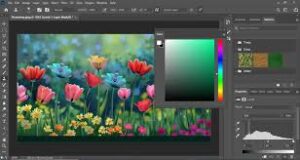
Photoshop is designed for:
- Detailed retouching
- Object removal
- Compositing images
- Graphic manipulation
- Advanced creative edits
It is the precision tool for deep editing work.
Feature Comparison Breakdown
1. Ease of Use
- Lightroom: Beginner-friendly, structured workflow
- Photoshop: Steeper learning curve, more complex interface
👉 Winner: Lightroom
2. RAW Image Editing
- Lightroom: Built for RAW workflow
- Photoshop: Can edit RAW via Camera Raw, but not optimized for bulk workflow
👉 Winner: Lightroom
3. Retouching Capabilities
- Lightroom: Basic retouching (spot removal, masking)
- Photoshop: Advanced skin retouching, object removal, layering
👉 Winner: Photoshop
4. Batch Editing
- Lightroom: Excellent (preset-based editing, sync tools)
- Photoshop: Not designed for batch processing
👉 Winner: Lightroom
5. Creative Editing Power
- Lightroom: Limited to photography adjustments
- Photoshop: Unlimited creative manipulation
👉 Winner: Photoshop
6. AI Features (2026 Update)
Both tools now include AI features:
- Lightroom: AI masking, subject detection, sky selection
- Photoshop: Generative fill, object replacement, smart selection tools
👉 Winner: Photoshop (slightly ahead in creative AI power)
When to Use Lightroom
Lightroom is best if you are:
- A portrait photographer
- A travel photographer
- A wedding photographer
- A content creator
- Someone managing large photo libraries
Why
Because Lightroom focuses on speed, consistency, and workflow efficiency.
When to Use Photoshop
Photoshop is best if you are:
- Doing commercial photography
- Working on high-end retouching
- Creating composite images
- Editing product photos
- Doing creative visual design
Why
Because Photoshop gives full pixel-level control over every detail.
Real-World Workflow (Professional Setup)
Most professional photographers in 2026 use BOTH tools together:
Step 1: Lightroom
- Import RAW images
- Organize and select best shots
- Apply global color grading
- Batch edit photos
Step 2: Photoshop
- Fine retouch selected images
- Remove distractions
- Advanced skin editing
- Final creative polish
👉 This combined workflow is industry standard.
Pricing and Subscription Model
Both Lightroom and Photoshop are included in Adobe Creative Cloud Photography Plan.
- Monthly subscription model
- Includes cloud storage and updates
- Works across desktop + mobile
While it is not free, it is widely considered a professional investment tool.
Lightroom vs Photoshop: Quick Summary
| Feature | Lightroom | Photoshop |
|---|---|---|
| Workflow | Excellent | Limited |
| RAW Editing | Best | Good |
| Retouching | Basic | Advanced |
| Learning Curve | Easy | Hard |
| Batch Editing | Strong | Weak |
| Creative Control | Medium | Very High |
Final Verdict
In 2026, the question is not “Lightroom OR Photoshop”—it is how to use both together effectively.
- Lightroom handles the entire photography workflow
- Photoshop handles detailed creative refinement
For photographers in the U.S., mastering both tools is the most efficient way to achieve professional-level results.